
The Button
A simple actuator used to alter states in your project where the button rebounds on its own after it is released.
Introduction
The Grove Button module is a simple sensor. It only has two modes: ON and OFF, or more commonly referred to in the Arduino language, HIGH or LOW. Pushing a button activates its high state, while releasing it activates its low state.
Plug
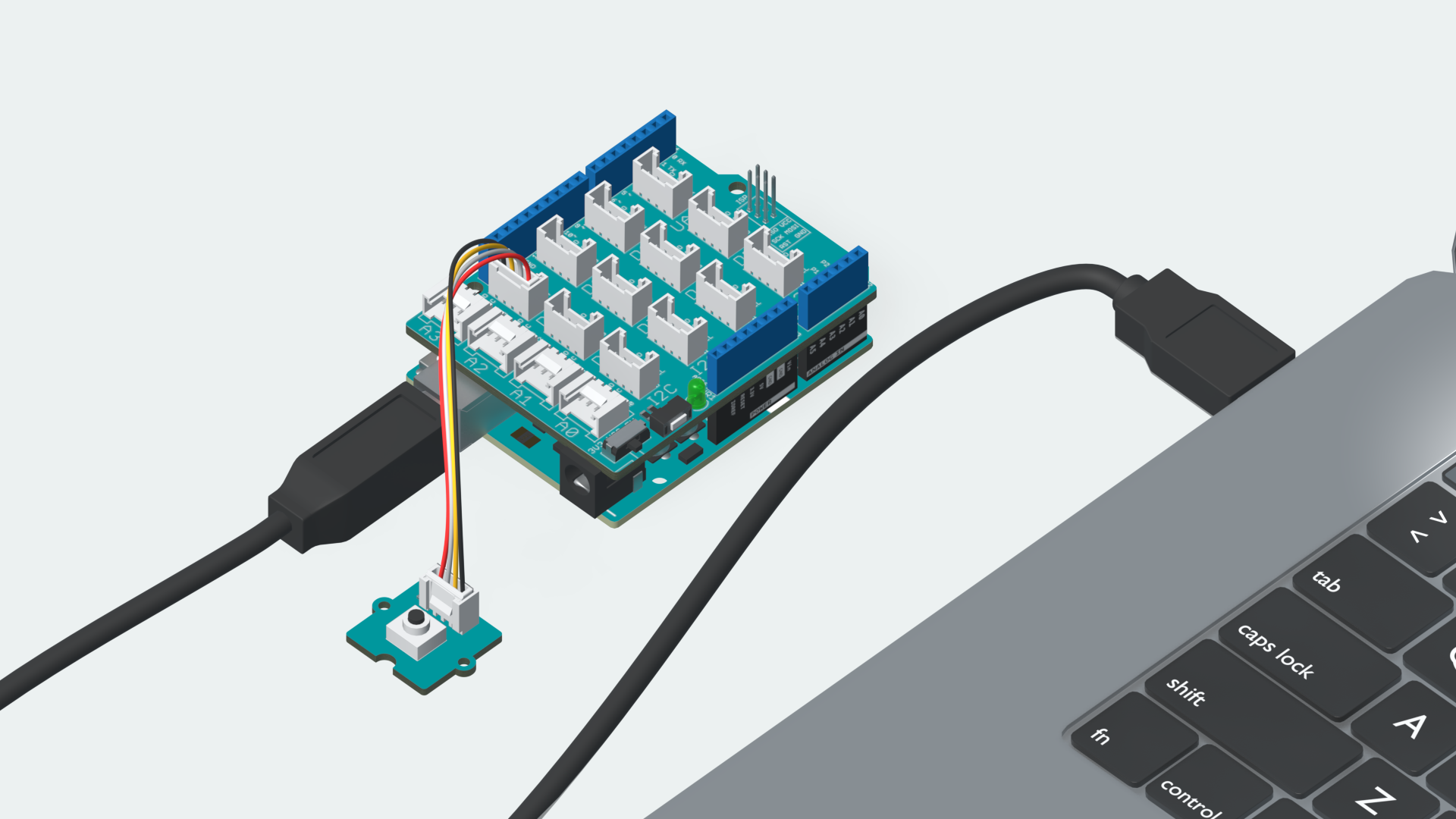
Plug in the Grove Button module to the Digital Pin marked D4 on your Grove Base Shield. Attach the Shield to your Arduino UNO R3 and connect it to your computer.
Sketch
#define button 4        // connect button to D4

int button_state = 0;   // variable for reading the pushbutton status

void setup() {
    Serial.begin(9600);
    // initialize the pushbutton pin as an input:
    pinMode(button, INPUT);
}

void loop(){
    // read the state of the pushbutton value:
    button_state = digitalRead(button);

    if (button_state == HIGH) {
        // turn LED on:
        Serial.println("Button pressed!");
    }
delay(50);
}
Play
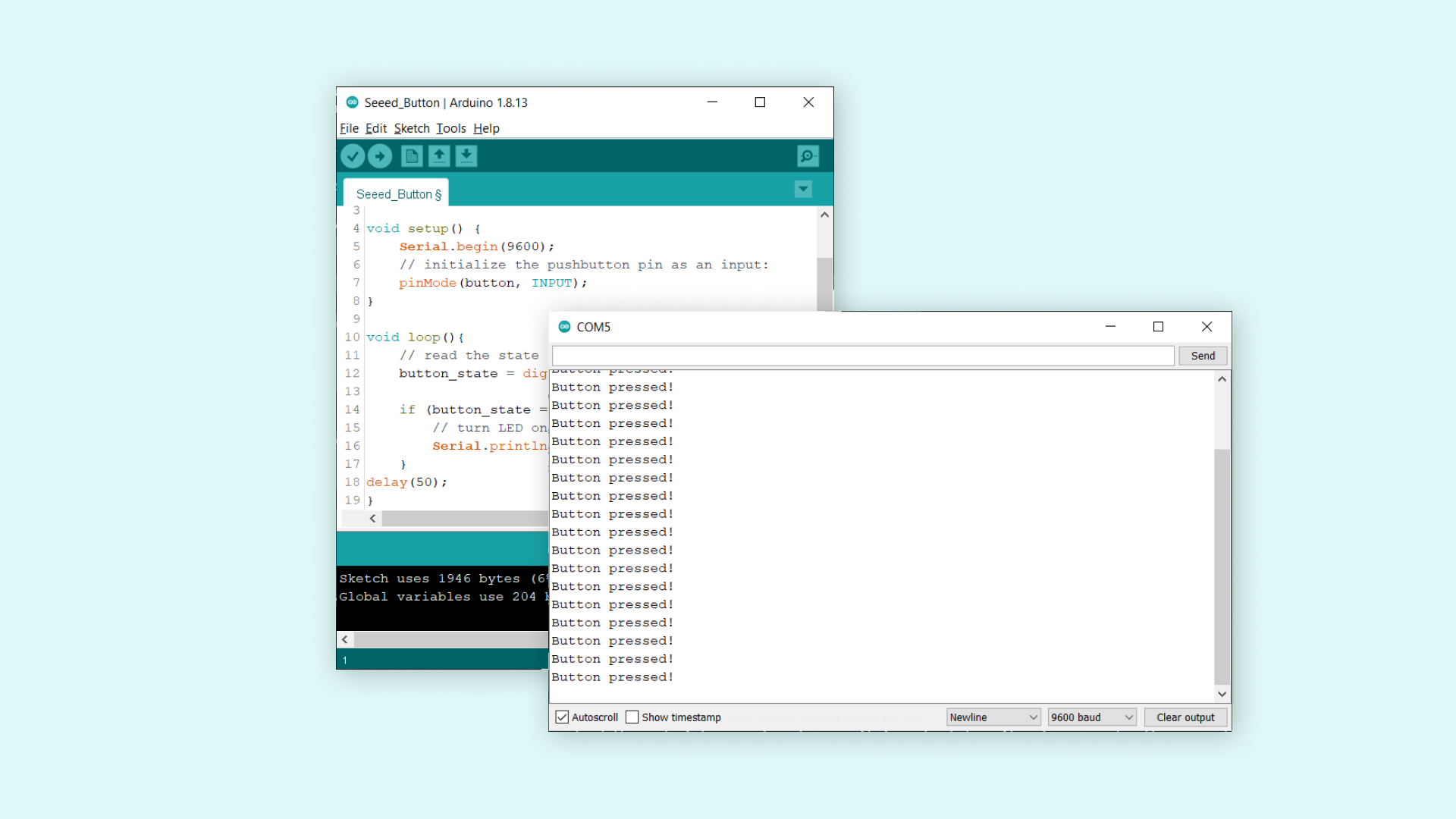
Copy the code from the snippet above, into the Arduino Editor of your choice. Choose the right board & port and upload the code to your board.
Once it is uploaded, wait a few seconds, then open the Serial Monitor. Now if we push and hold the button, the Serial Monitor should print the text "Button pressed!". If we release it, then nothing is printed in the Serial Monitor. It is a very basic setup, where we track whether the button is pressed or not!
Understand
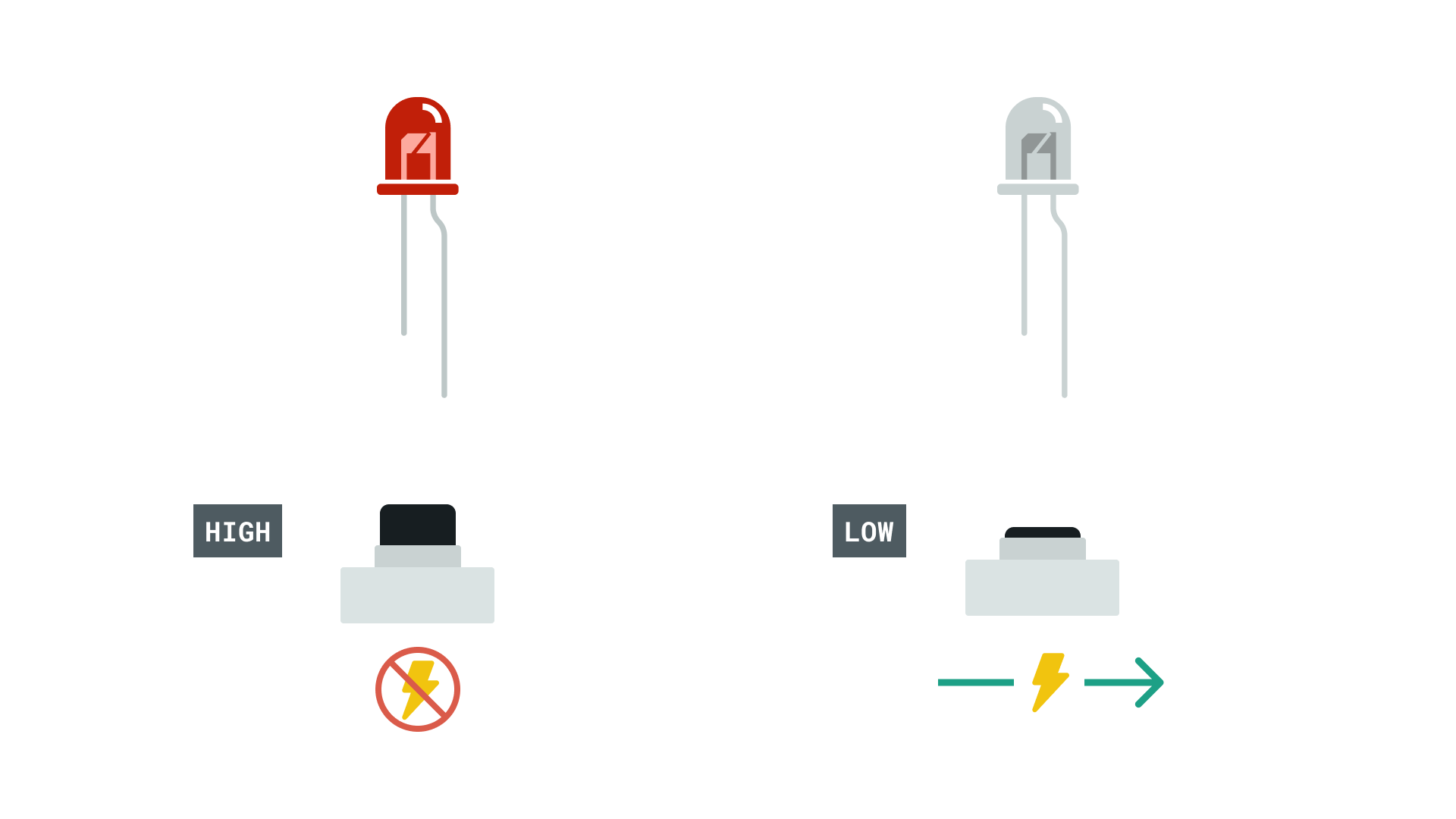
When the pushbutton is open (unpressed) there is no connection between the two legs of the pushbutton and the circuit is open, so we read a LOW signal. When the button is closed (pressed), it makes a connection between its two legs, closing the circuit, which reads a HIGH signal.
You can read more about the usuage of the components and functions from the references below.